
The Cheapest Way Into a Smart Home
If a smart home had a training-wheels device, it would be the smart plug. It slips between the wall and any lamp, fan, or heater and hands you a schedule, an app button, and a voice command. Nothing gets rewired, and nothing gets replaced.
That simplicity hides a surprising range of choices. Plugs differ on connection type, energy monitoring, indoor versus outdoor rating, and how much power they can safely handle. Buy the wrong one and it blocks a second outlet or trips on a space heater.
This guide sorts the market into clear categories with real brand examples. It explains the few specs that matter, adds approximate pricing, and gives direct picks by need. There is no invented hands-on testing here, just an honest field guide.
By the end, you should know exactly which plug belongs on your nightstand, your patio, or behind your media center.
The Short Answer for Most Homes

For most people, a compact Wi-Fi smart plug with voice assistant support is the best starting point. It needs no hub and works with common apps right away. Look for one rated for your appliance wattage.
If you want to track usage, choose a model with energy monitoring built in. For lamps and small electronics, a basic indoor plug is enough. For grills or holiday lights outside, pick a weatherproof outdoor plug instead.
Buyers inside the Apple ecosystem should confirm HomeKit or Matter support before buying. Those who care about speed and reliability may prefer Thread or Zigbee models. The right pick always depends on your existing setup.
The Four Specs That Actually Matter
A few core features separate a good smart plug from a frustrating one. Understanding them helps you avoid buying twice. Each factor below affects daily use.
Connection Type
Most smart plugs use Wi-Fi, which is simple but can crowd your network. Zigbee, Z-Wave, and Thread plugs are efficient but often need a hub. Matter support is increasingly common and improves cross-platform compatibility.
Voice and App Support
Confirm the plug works with your assistant, such as Alexa, Google Assistant, or Siri. A clean companion app makes scheduling and grouping far easier. Reliable cloud and local control both matter for everyday convenience.
Energy Monitoring
Some plugs report real-time wattage and historical usage. This feature helps identify power-hungry devices and reduce bills. It is optional but valuable for cost-conscious households.
Size and Load Rating
Bulky plugs can block a second outlet, so compact designs are preferred. Always check the maximum wattage and amperage the plug supports. High-draw appliances like heaters need a higher-rated plug.
Five Categories, Not One Winner
Smart plugs fall into a few clear categories rather than a single winner. The best choice depends on where and how you plan to use it. The picks below represent common, widely available types.
Compact Indoor Wi-Fi Plug
This is the everyday workhorse for lamps, fans, and chargers. It connects over Wi-Fi, needs no hub, and sets up in minutes. A slim body avoids blocking adjacent outlets in a power strip.
Energy-Monitoring Plug
Built for users who want insight into power use, this type tracks wattage. It pairs well with space heaters or entertainment centers. The data helps you spot waste and schedule devices efficiently.
Outdoor Weatherproof Plug
Designed for patios, gardens, and seasonal lights, this plug resists rain and dust. It often includes multiple outlets controlled together or separately. Always verify the weather rating before outdoor installation.
An indoor plug in a covered porch is the substitution people try first, and it is the one that fails in the first storm. We walk through what the IP rating actually promises in can you use a smart plug outdoors.
Matter or Thread Plug
For future-proof setups, a Matter-certified plug works across major platforms. Thread models add a responsive, low-power mesh connection. These suit households that mix Apple, Google, and Amazon devices.
Smart Power Strip
When one outlet must control several gadgets, a smart strip helps. Each socket can switch independently through the app. It is ideal for desks, media centers, and crowded outlets.
Wi-Fi, Zigbee, Z-Wave, or Thread: Picking the Radio
Connection type is the one choice that is hard to undo later. Most buying guides reduce it to a question of hub or no hub, which misses what the radio actually decides.
Three things hang on it. Whether the plug stays responsive once you own twenty of them. Whether it keeps working when your internet drops. And whether it strengthens the rest of your smart home or just adds to the pile.
Start with a correction that saves a lot of confusion. Matter is not a radio. It is a compatibility layer that runs on top of Wi-Fi, Thread, or Ethernet, so a “Matter plug” is still a Wi-Fi plug or a Thread plug underneath.
Matter tells you the plug will pair across Apple, Google, Amazon, and SmartThings. It does not tell you how the plug connects.
Wi-Fi: Simplest to Start, Hardest to Scale
Every Wi-Fi plug takes a client slot on your 2.4 GHz band, alongside your phones, laptops, and doorbell. One or two plugs are invisible. Twenty of them on a router sized for a family’s devices is where people start reporting plugs that “randomly go offline.”
Most Wi-Fi plugs also route commands through the manufacturer’s cloud. That is why they stop answering the app when your internet drops, even though the plug and the phone sit in the same room.
Zigbee and Z-Wave: Mesh That Gets Stronger as You Add
Both are low-power mesh networks that need a coordinator. That can be a SmartThings or Hubitat hub, certain Amazon Echo models with a radio built in, or Home Assistant with a USB dongle.
The payoff is that a mains-powered plug becomes a repeater. Every plug you add extends the range and reliability of your battery-powered door and motion sensors instead of competing with them. Control is typically local, so schedules keep running during an internet outage.
Z-Wave differs mainly in using a sub-GHz band, which is far less crowded than the 2.4 GHz spectrum that Wi-Fi, Zigbee, and Bluetooth all share. That helps in dense apartment buildings.
Thread: The Mesh Without a Traditional Hub
Thread behaves like Zigbee, a low-power mesh where mains-powered devices repeat for the rest. It speaks IP natively and needs a border router rather than a classic hub. You may already own one, since recent HomePods, Apple TVs, Nest Hubs, and some Echo models fill that role.
Paired with Matter, Thread is the most future-proof choice for a mixed-platform household. It is also the newest of the four, so the selection of plugs is narrower than Wi-Fi.
| Radio | Extra hardware | Works with internet down | Helps other devices | Best for |
|---|---|---|---|---|
| Wi-Fi | None | Usually not, if cloud-based | No, adds network load | One to five plugs, fastest start |
| Wi-Fi + Matter | None | Often yes, local control | No | Mixed Apple, Google, Amazon homes |
| Zigbee | Hub or Echo with radio | Yes, local | Yes, repeats the mesh | Growing setups with sensors |
| Z-Wave | Hub | Yes, local | Yes, repeats the mesh | Dense buildings, crowded 2.4 GHz |
| Thread + Matter | Border router you may own | Yes, local | Yes, repeats the mesh | Future-proofing a mixed home |
The practical rule is a threshold rather than a preference. Below roughly a dozen smart devices, Wi-Fi is fine and the simplicity is worth it.
Above that, or the moment you add battery sensors you need to be reliable, a mesh radio earns the cost of a hub.
Categories Side by Side

The table below summarizes how common smart plug categories differ. Use it to narrow choices before checking specific brands. Values describe typical traits, not a single product.
| Plug Type | Connection | Energy Monitoring | Best For | Hub Needed |
|---|---|---|---|---|
| Compact Indoor Wi-Fi | Wi-Fi | Sometimes | Lamps and chargers | No |
| Energy-Monitoring | Wi-Fi | Yes | Tracking usage | No |
| Outdoor Weatherproof | Wi-Fi | Sometimes | Patios and lights | No |
| Matter or Thread | Thread or Wi-Fi | Sometimes | Mixed ecosystems | Often |
| Smart Power Strip | Wi-Fi | Varies | Multiple devices | No |
| Zigbee or Z-Wave | Zigbee or Z-Wave | Sometimes | Large hub setups | Yes |
| Dual-outlet outdoor | Wi-Fi | Sometimes | Two outdoor zones | No |
This comparison shows that Wi-Fi remains the simplest entry point. Energy monitoring and weatherproofing are the main upgrades to consider. Hub-based options trade convenience for efficiency and responsiveness.
For more whole-home ideas, see our guide to the best smart home devices. Pairing plugs with lighting also works well, as covered in best smart light bulbs.
Which Plug Fits What You Switch
The best plug depends on what you are switching and where. These direct picks match the most common jobs.
First-time buyers: A compact indoor Wi-Fi plug from TP-Link Kasa or Tapo, or the Amazon Smart Plug, is the safe default. It needs no hub, pairs with Alexa or Google Home quickly, and costs very little. One plug is a low-risk way to learn automation.
Cost-tracking households: Pick a model with energy monitoring, such as a Kasa monitoring plug or an Emporia unit. It reports wattage so you can spot power-hungry gear like space heaters or old media centers. The data pays off when you plan to trim a bill.
Patios and holiday lights: Choose an outdoor-rated plug like the Kasa Outdoor or a Wemo outdoor model. These resist rain and dust and often switch two sockets independently. Always confirm the weather rating before you leave one outside.
Apple Home users: Confirm HomeKit or Matter support first, since not every plug qualifies. Eve Energy and newer Matter-over-Thread plugs tend to fit Apple homes well. Thread models also respond quickly and sip power.
Crowded desks and media centers: A smart power strip beats several single plugs when outlets are scarce. Each socket switches on its own through the app, so one device controls a whole setup. It tidies cables and cuts phantom draw at once.
Four Questions Before You Buy
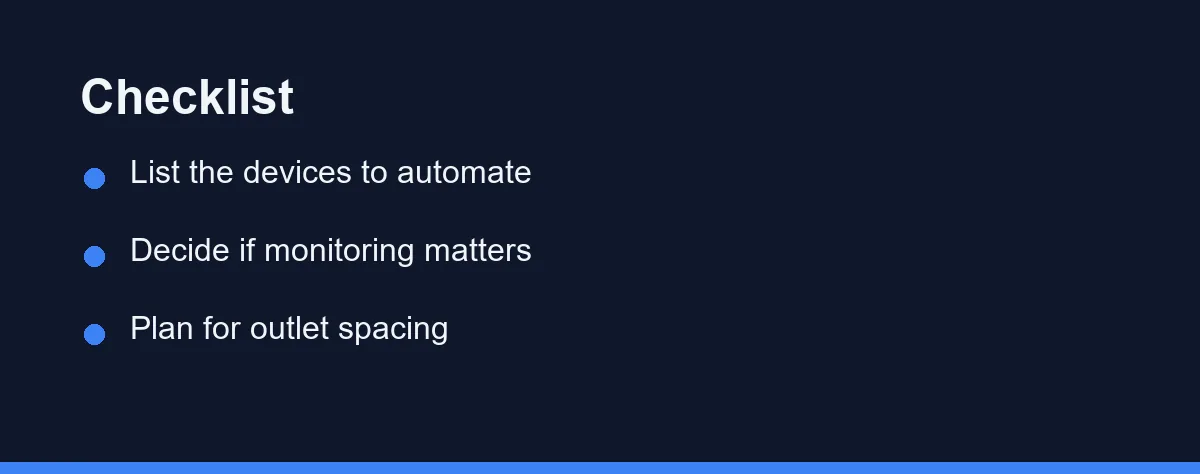
Start by listing the devices you actually want to automate. This prevents overbuying features you will never use. A short list keeps the decision focused.
Next, confirm the plug supports your voice assistant and app preferences. Ecosystem fit matters more than raw feature counts. A mismatched plug creates daily friction.
Then consider whether energy monitoring justifies a slightly higher cost. Households with heaters or media gear often benefit most. Casual users controlling a lamp rarely need it.
Finally, plan for physical fit and outlet spacing. A bulky plug can block a neighboring socket. Compact designs and short extension leads solve crowding problems.
If your goal is broader security or comfort, related guides help too. Compare assistants in Alexa vs Google Home before committing. For climate control, the best smart thermostats pair nicely with plugs.
What You Should Expect to Pay
Smart plug prices vary widely by brand, features, and region. Energy monitoring, outdoor ratings, and Matter support tend to raise costs. Multi-packs usually lower the per-unit price.
The table below gives approximate ranges by type with real brand examples. These reflect prices at the time of writing, so confirm current pricing on official brand sites before buying.
| Type | Example brands | Notable trait | Approx. price* |
|---|---|---|---|
| Basic indoor Wi-Fi | TP-Link Kasa or Tapo, Amazon Smart Plug, Wyze | Compact, hub-free | ~$8-15 |
| Energy-monitoring | Kasa, Emporia, Meross | Tracks wattage | ~$12-25 |
| Outdoor weatherproof | Kasa Outdoor, Wemo Outdoor | Rain and dust resistant | ~$18-30 |
| Matter or Thread | Eve Energy, newer TP-Link | Cross-platform, fast | ~$25-40 |
| Smart power strip | Kasa, Govee | Independent sockets | ~$25-45 |
*Approximate values at the time of writing. Multi-packs and sales shift these numbers often, so treat them as a rough guide rather than a quote.
When budgeting, weigh long-term value rather than sticker price alone. A reliable plug with monitoring may save money over time. Cheaper units can disappoint on app quality and durability.
Watch for compatibility before you buy to avoid returns. A plug that fails to match your hub wastes money. Reading current specs on official pages prevents that mistake.
Where Smart Plugs Fall Short
Smart plugs are cheap and forgiving, but they are not magic. They only switch power on and off, so a device that needs a button press or a digital menu will not gain smarts from a plug. A microwave, for example, still needs you to set the timer by hand.
Load limits are the other common trap. Basic plugs are not rated for the heavy draw of a large space heater or window air conditioner, and pushing past the rating is unsafe. Always match the label to the appliance before you plug in.
Cloud-only Wi-Fi plugs can also lag or drop offline when the app has a rough day. On-device schedules soften that, and hub-based or Matter models tend to respond faster. Choose the connection type that fits how reliable you need the plug to be.
Actually Doing The Load Math
Every guide, including the sections above, tells you to check the wattage rating. Almost none show you how to check it, which is why the space heater question keeps coming up. Here is the arithmetic.
On a standard North American 120-volt circuit, watts equal volts times amps. A plug rated 15 amps is therefore rated for roughly 1,800 watts at that voltage. In regions running 230 volts the same 10-amp plug covers about 2,300 watts, so ratings do not transfer between markets and neither do the examples below.
The number that catches people is the second one. Electrical practice treats anything running three hours or more as a continuous load and limits it to 80 percent of the circuit rating. On a 15-amp circuit that is 1,440 watts, not 1,800. A 1,500-watt space heater run all evening sits above that line before you add a single lamp to the same circuit.
That is the real answer to the space heater question. Many heaters are built right at 1,500 watts because it is the largest common load a 15-amp circuit tolerates. That leaves no headroom for a switching device in the middle.
Reading Your Own Appliance
The label is usually on the back or underside, and it lists either watts or amps. If it lists amps, multiply by your local voltage to get watts. Then compare against two numbers: the plug’s own printed rating, and 80 percent of the circuit rating if the device runs for hours.
| Typical Appliance | Rough Draw | Continuous Use | Smart Plug Verdict |
|---|---|---|---|
| LED lamp, phone charger | Under 20 W | Yes | Any plug, no concern |
| Fan, TV, media console | 50-300 W | Yes | Any plug, no concern |
| Coffee maker, kettle | 900-1,500 W | No, minutes | Check the plug’s rating; brief peaks are the easier case |
| Space heater | 1,500 W | Yes | Avoid unless the plug is explicitly rated for a heater |
| Window air conditioner | 500-1,500 W | Yes, plus motor startup | Avoid; inrush is the problem, not the running watts |
| Dehumidifier, pump, compressor fridge | 300-800 W running | Yes, plus motor startup | Only with a plug rated for motor loads |
Figures are typical ranges rather than a specification for any product. Read your own label, since the same category varies widely by model.
Why Motors Break The Simple Math
The last three rows fail for a different reason than the heater. Anything with a compressor or a motor draws several times its running current for the first fraction of a second while the motor spins up. A fridge pulling 400 watts steadily can demand several times that at the instant it kicks in.
A smart plug switches with a mechanical relay, and that inrush is what welds relay contacts shut. A plug that fails this way fails closed, meaning the appliance stays powered and the app button does nothing. It is the worst failure mode available, because it looks like a connectivity problem rather than a hardware one.
Resistive loads such as heaters and kettles have no inrush spike, which is why they are only a watts problem. Motor loads are a surge problem, and the watts on the label understate them.
The Practical Rules
Three rules cover nearly every case. Use smart plugs freely for lighting, electronics, and small resistive appliances that run for minutes. For anything at 1,400 watts or above running for hours, plug it into the wall directly. For anything with a motor or compressor, buy a plug the manufacturer specifically rates for that load, or skip the plug.
One more habit worth keeping. Do not chain a smart plug into a power strip or an extension lead when the appliance is anywhere near the limit, since each connection adds resistance and heat at a point nobody inspects. This is a general guide rather than electrical advice, so confirm ratings on the product label and check local wiring rules if you are unsure.
Start With One, Add More Later
Smart plugs remain the best value in the whole connected home. For a small outlay, an ordinary lamp, fan, or coffee maker joins your routines and voice commands. Most people are well served by a single compact Wi-Fi model to start.
Step up only when a real need appears. Add energy monitoring to hunt down waste, an outdoor rating for the patio, or a Matter plug for a mixed Apple, Google, and Amazon home. A smart power strip solves the crowded-outlet problem in one move.
Before you buy, match three things: the appliance wattage, your voice assistant, and the physical fit at the outlet. The tables and checklist above make that quick. Get those right and your home gets smarter with almost no effort or risk.
Wattage is the limit people test first, usually with a heater. Can you plug a space heater into a smart plug? explains why that one pairing deserves more caution than the rest.
Two follow-up decisions come up often enough to deserve their own guides. For ceiling lights and anything hardwired, a plug is the wrong tool, and smart plug vs smart switch for lighting explains where the line falls. When one outlet has to serve a desk or a media wall, smart plug vs smart power strip compares per-socket control against a single shared switch.
If the energy figures in the app are what drew you in, read them carefully. Our comparison of plug-level energy monitoring and a whole-home monitor shows which one actually finds the waste on your bill.
FAQ
Do smart plugs work with regular appliances?
Yes, smart plugs control most simple devices that switch on with their own power button, like lamps, fans, and heaters. They cannot add smart features to appliances that need digital controls, such as a microwave you must program.
Do smart plugs use a lot of standby power?
Modern smart plugs draw a very small amount of standby power, usually under one watt. Many models also include energy monitoring so you can track and reduce overall consumption across connected devices.
Do I need a hub to use a smart plug?
Most popular smart plugs connect directly over Wi-Fi and need no separate hub. Some Zigbee, Z-Wave, or Thread models require a compatible hub, so always confirm the connection type before buying.
Can a smart plug handle a space heater or air conditioner?
Only if its wattage and amperage rating covers the appliance, which many basic plugs do not. High-draw devices need a plug rated for the load, and the label lists the limit. Never exceed the rating, since an overloaded plug is a real fire risk.
Will a smart plug keep my schedule if the Wi-Fi goes down?
Many plugs store simple schedules on the device, so timers can keep running during a brief outage. Remote app control and voice commands usually pause until the connection returns. Check whether the model supports on-device schedules if outages are common where you live.
Should I buy Zigbee or Wi-Fi smart plugs?
Zigbee plugs need a hub but act as repeaters, so each one strengthens the mesh your battery sensors rely on and keeps working locally during an internet outage. Wi-Fi plugs skip the hub but consume a slot on your 2.4 GHz network and often depend on the cloud. Below about a dozen smart devices Wi-Fi is fine; above that, Zigbee scales better.
Why is 1,500 watts too much for a plug rated 15 amps?
Because a device running three hours or more counts as a continuous load, and electrical practice limits that to 80 percent of the circuit rating. On a 15-amp 120-volt circuit the ceiling is about 1,440 watts, not the 1,800 the rating suggests. Most space heaters sit at 1,500 watts, which is already above the line. Brief loads like a kettle are the easier case. Confirm the rating printed on the plug itself, and note that 230-volt regions use different numbers.
Sources
- Matter (Connectivity Standards Alliance) — checked 2026-09-08
- Thread Group — checked 2026-09-08
Some links may be affiliate links. We may earn a commission at no extra cost to you.
This article was written with AI assistance. It is researched and fact-checked, not based on personal hands-on testing unless explicitly stated.

No comments:
Post a Comment