Two Door Upgrades That Get Confused Constantly
Buy the video doorbell first if deliveries and unexpected visitors bother you most. If lost keys or letting in a dog walker is the weekly headache, the smart lock goes first. Most smart locks add no monthly fee, while doorbells often come with a clip plan of roughly $3 to $15 a month.
Two door upgrades sit near the top of almost every smart home shopping list, and they get confused constantly. A smart lock and a video doorbell both live at the front door, both send phone alerts, and both promise more security. That overlap makes people assume one is a fancier version of the other.
They are not interchangeable. One decides whether a door opens, and the other decides whether you want it to. Buy the wrong one first and you solve a problem you did not actually have.
This guide separates the two jobs cleanly. It looks at what each device removes from your day, which situations make one clearly the better first purchase, and how to keep the second one from becoming a headache when you add it.
Buy for Your Loudest Daily Annoyance

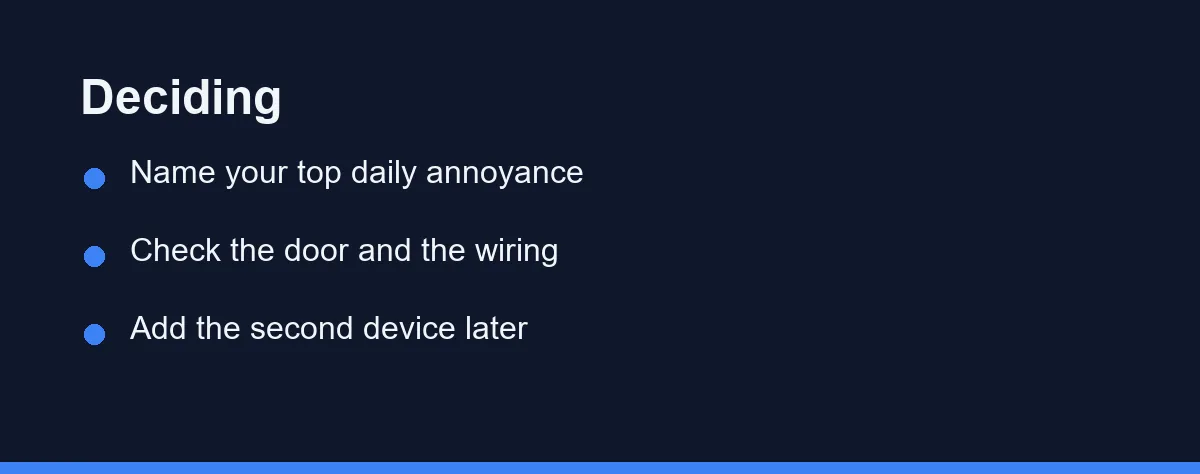
Pick based on your loudest daily annoyance, not on which gadget looks more advanced. If your frustration is missed deliveries, porch strangers, or wondering who just knocked, the video doorbell earns the first slot. If it is lost keys, letting in a dog walker, or juggling copies for family, the smart lock goes first.
Both can coexist later, and pairing them inside one app is genuinely useful. Start with the single device that erases a problem you feel every week, then add the other once the first proves its worth.
Four Things That Separate a Good First Buy From a Regret
Four things separate a good first purchase from a regret. Weigh them against your own door before you spend anything.
The problem you actually have. A video doorbell answers the question of who is outside. A smart lock answers the question of who gets in. Name the moment that annoys you most, and the winner usually names itself.
Your door and wiring. A smart lock has to fit your existing deadbolt, and a wired video doorbell needs low-voltage chime wiring behind the button. A door with no existing doorbell wiring pushes you toward a battery model, which changes the maintenance picture.
The ecosystem you already use. If you own Alexa or Google speakers, buying a lock and doorbell that speak the same language keeps everything in one app. Mixing ecosystems means two apps, two logins, and no shared automations.
Ongoing cost and upkeep. Video doorbells often nudge you toward a subscription for saved clips, while most smart locks charge nothing after purchase. Battery life also differs sharply, so factor in how often you are willing to recharge or swap cells.
Comparing the Two Jobs
What a smart lock actually does
A smart lock replaces the mechanical act of turning a key. It lets you lock or unlock from your phone, hand out temporary codes, and see a log of who came and went. Popular choices include the August Wi-Fi Smart Lock, the Schlage Encode, and the Yale Assure lineup.
The August design is a favorite for renters because it retrofits onto the inside of an existing deadbolt. The exterior keyway stays, so a landlord sees no change. The Schlage Encode swaps the whole lock and adds a keypad, which suits owners who want a keyless exterior.
The real payoff is access control. You stop hiding spare keys, you grant a cleaner a code that expires Friday, and you check whether the door locked itself after the kids left. Our roundup of the best smart locks breaks down the retrofit versus full-replacement split in more detail.
What a video doorbell actually does
A video doorbell replaces the guessing game of an unexpected knock. It streams live video, records motion, and lets you speak to whoever is at the door from anywhere. Ring, Google Nest, and Wyze dominate this category.
Wiring is the first fork. A wired model taps your existing chime circuit and never needs charging, while a battery model like several Ring units mounts anywhere but needs periodic recharging. Our head-to-head on Wyze and Ring video doorbells walks through that trade-off and the subscription differences.
The payoff here is awareness and evidence. You see the delivery driver, wave off a salesperson without opening up, and keep a clip if a package vanishes. If you are weighing platforms broadly, the Ring and Nest comparison covers how each handles storage and alerts.
Where they overlap and where they do not
Both send motion or event alerts, and both can unlock a shared automation such as turning on a porch light. That is the overlap people notice. The gap is bigger than the overlap, though.
A doorbell cannot let anyone in, and a lock cannot show you who is there. Treating one as a substitute for the other leaves half the front door unsolved.
There is also a connectivity angle worth checking before you buy either one. Some smart locks connect over Bluetooth and need a separate bridge for remote access, while others build Wi-Fi straight in. Video doorbells nearly always want a solid Wi-Fi signal at the door, so a weak connection there can undercut whichever device you choose.
The Two Device Types on What Decides a First Purchase

The table lines up the two device types against the things that decide a first purchase. Read it with your own door and habits in mind.
| Factor | Smart lock | Video doorbell |
|---|---|---|
| Core job | Controls physical access | Shows who is at the door |
| Typical install | Swap or retrofit the deadbolt | Wire to chime or mount battery model |
| Power | AA or lithium cells, months of life | Wired chime or rechargeable battery |
| Ongoing fees | Usually none | Often a clip-storage subscription |
| Renter friendliness | High with retrofit models | High with battery models |
| Solves best | Keys, guest access, auto-lock | Deliveries, visitors, porch evidence |
The split is clear once it is laid out. The lock column is about who passes through, and the doorbell column is about who shows up.
Notice that neither column makes the other unnecessary. They answer different questions at the same doorway.
Hardware, Wiring, and the Subscription Add-On
Prices swing with features, wiring needs, and subscription add-ons, so treat every figure here as a ballpark. The ranges below are approximate and accurate at the time of writing. Confirm current pricing on the official site before you commit.
| Device | Approximate price | Notes |
|---|---|---|
| Retrofit smart lock | roughly $130 to $250 | Interior swap, keeps existing key |
| Keypad smart lock | roughly $150 to $300 | Full replacement, keyless entry |
| Battery video doorbell | roughly $60 to $180 | No wiring, periodic recharging |
| Wired video doorbell | roughly $100 to $230 | Uses existing chime circuit |
| Clip storage plan | roughly $3 to $15 per month | Optional, varies by brand |
Smart locks are close to a one-time cost, since most add no monthly fee. That makes the sticker price the whole story for a lock in most cases.
Video doorbells often look cheaper up front, then add a recurring charge for saved footage. Skipping the plan usually leaves you with live view and basic motion alerts but no cloud history. Weigh that monthly line against how much the recorded clips matter to you.
Which Device Should Come First
The frequent online shopper: Deliveries pile up and porch theft is the fear, so the video doorbell comes first. A wired Ring or Nest model gives you a live view and a saved clip the moment something moves. The lock can wait until package anxiety is handled.
The household that loses keys: Constant lockouts and spare-key hiding point straight at a smart lock. A retrofit August or a keypad Schlage ends the key ritual and logs every entry. Add the doorbell later once the daily key friction is gone.
The renter: Reversibility rules the decision, so lead with whichever device your lease clearly allows. A retrofit lock leaves the exterior untouched, and a battery doorbell mounts without wiring. Keep the original hardware boxed for move-out day either way.
The busy family sharing access: Cleaners, dog walkers, and visiting relatives all need timed entry, which is a lock problem first. Expiring codes remove the copied-key mess and show who arrived when. A doorbell then adds a face to each of those log entries.
The buyer who wants one connected system: Start with the ecosystem, not the individual device. Pick a lock and doorbell from the same platform so a single app shows both, then buy whichever half solves your bigger annoyance today. The second device slots in without a second login.
Errors That Trip First Door Upgrades
A few errors show up on nearly every first-time front-door upgrade. Each is easy to sidestep once you know it.
Do not buy a doorbell expecting it to control the lock. It watches the door but never opens it, and the reverse is just as true.
Do not order a wired doorbell without checking for chime wiring. A door with no existing button often has nothing behind it, which forces a battery model or a wiring project.
Do not mix ecosystems by accident. A lock on one platform and a doorbell on another means two apps and no shared automations, which undercuts the whole point.
Do not overlook the subscription math on a doorbell. The monthly clip fee can quietly outrun the hardware cost within a couple of years.
One Governs Entry, the Other Governs Awareness
A smart lock and a video doorbell share a doorway and almost nothing else. One governs entry, the other governs awareness, and each leaves a real gap that the other cannot fill.
The first-purchase question comes down to friction. Buy the device that erases the problem you feel most often, whether that is a missed package or a lost key.
Once the first device proves useful, the second becomes an easy add rather than a guess. Keep them inside one ecosystem, and the two together turn a plain front door into something you can watch and control from anywhere.
Whichever device goes on the door first, the deadbolt itself still carries a rating on its packaging. Our explainer on what ANSI Grade 1 and the BHMA AAA label mean covers which of those badges describes a home door and which describes a commercial one.
FAQ
Does a smart lock replace a video doorbell?
They solve different problems, so neither replaces the other. A smart lock controls who can physically open the door, while a video doorbell shows you who is standing outside before you decide to answer. Many homes end up with both, but only one needs to come first, and that depends on your daily friction.
Which one should I install first?
A video doorbell usually helps more if package theft or unexpected visitors are your main worry. It gives you a live view and a two-way conversation without opening the door. A smart lock wins when the daily pain is fumbling for keys or letting people in while you are away.
How long do the batteries last on these devices?
Most smart locks run on AA or lithium batteries that last several months to a year. Video doorbells vary more, since a wired model draws from your existing chime circuit while a battery model needs recharging every one to three months. Heavy motion traffic drains a doorbell battery much faster.
Can a smart lock and video doorbell work together in one app?
Yes, in many cases, and it is one of the strongest reasons to buy the pair. Ring, Nest, and Wyze all let a doorbell event trigger or surface alongside lock status inside one app. Choosing both from the same ecosystem avoids juggling two separate phone notifications and two logins.
Are these devices renter friendly?
A renter can usually install both without permanent changes. Many smart locks replace only the interior thumb turn and leave the exterior deadbolt untouched, and battery doorbells mount with adhesive or a few screws. Always confirm your lease terms first, and keep the original hardware to reinstall at move-out.
Sources
- Builders Hardware Manufacturers Association (ANSI/BHMA) — checked 2026-09-08
Some links may be affiliate links. We may earn a commission at no extra cost to you.
This article was written with AI assistance. It is researched and fact-checked, not based on personal hands-on testing unless explicitly stated.

No comments:
Post a Comment