Mapping Is Laser Work And Dodging Is Camera Work
Buy laser mapping for multiple rooms or floors. Pay for camera recognition only if cables, socks or a pet make the floor unpredictable. iRobot lists the Roomba 105 Vac at $249.99 and the Roomba Max 705 Combo at $1,299.99. Eufy lists the X10 Pro Omni with AI.See obstacle avoidance at $899.99, all as of September 2026.
The two solve different problems and product pages rarely separate them. A robot that maps beautifully can still swallow a charging cable. A robot that dodges everything can still lose track of which room it is in.
Most disappointment traces back to buying the wrong half. The rest of this walks through which half your floor actually needs.
What A Spinning Turret Buys And What It Costs In Height
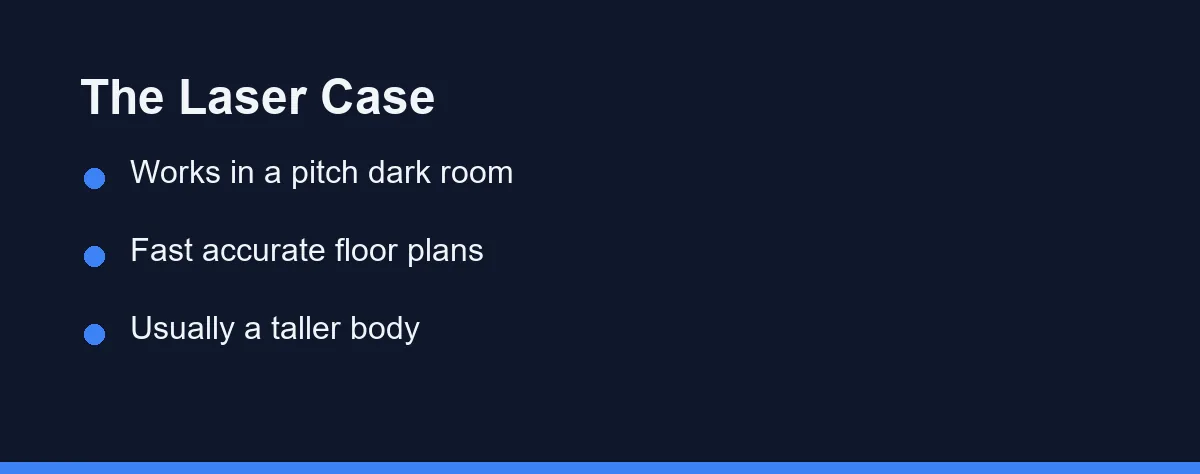
Laser distance sensing measures the room by timing reflected light. The result is a floor plan that holds up in a dark hallway at two in the morning, because the robot brings its own light source.
That accuracy pays off in ways people underestimate. Room by room cleaning, no go zones, multi floor maps and a sensible cleaning order all depend on knowing where the walls are.
The classic cost is height. A rotating turret sits proud of the body, and that extra height decides whether the robot fits under a sofa or a kitchen kickboard.
Makers are working around it. Roborock lists the Saros 10R at 3.14 inches tall with no raised turret, using what it calls the StarSight Autonomous System 2.0 instead.
Measure before you shop. The gap under your lowest piece of furniture is a hard number, and no feature list overrides it.
What A Camera Sees That A Laser Cannot

A map has no opinion about what is lying on the floor. A camera, paired with recognition software, is what tells a robot that the dark shape ahead is a cable rather than a shadow.
This is the feature that saves a cleaning run. Charging cables, socks, shoelaces and pet waste are the four objects that turn an unattended clean into a mess spread across a room.
Makers name these systems separately from mapping, which is a useful signal when reading a spec page. Roborock markets ReactiveAI 3.0 on the Saros 10, and eufy markets AI.See on the X10 Pro Omni at $899.99.
The weakness is light. Recognition degrades in a dim room, which is why several models add a small forward facing lamp, and why a robot that runs at night may perform differently than the demo suggests.
The Third Approach Nobody Puts On The Box
Below both tiers sits simple navigation, sometimes called gyroscope or bump and continue. The robot estimates position from its own wheel movement and corrects when it hits something.
It is not useless. In a studio or a single open room, coverage on a random or lightly structured path gets the floor clean, and the price reflects it.
The limits show up fast in a real house. No persistent map means no room selection, no reliable no go zones, and a return to base that sometimes wanders.
This tier is also where the cheapest sale prices live. If your whole home is one floor and one big room, that trade can be entirely rational.
Three Named Systems And What They Cost Right Now
The table below compares the approaches on the points that decide daily behaviour rather than spec sheet pride.
| What matters | Laser mapping | Camera recognition | Simple gyroscope |
|---|---|---|---|
| Builds a reusable floor plan | Yes, fast and accurate | Sometimes, often paired with a laser | No persistent map |
| Works in a dark room | Yes, it supplies its own light | Degrades without light or a lamp | Yes, it does not see anyway |
| Dodges a charging cable | No, that is a different sensor | Yes, this is the whole point | No |
| Effect on robot height | Turret designs add height | Minimal, sensors sit in the front bumper | Minimal |
| Typical price band, August 2026 | $450 to $1,400 | $899.99 on the eufy X10 Pro Omni | Around $250 to $470 |
| Privacy questions | None worth naming | Real, ask where images go | None |
Prices in that row come from the current lineup pages at Roborock, eufy and iRobot. Sale pricing moves constantly, so confirm current pricing on the official site.
Suction numbers follow a similar pattern and deserve the same scepticism. Roborock lists 36,000 Pa on the Saros 20, 22,000 Pa on the Saros Z70 and 10,000 Pa on the S8 MaxV Ultra. Eufy lists 20,000 Pa on the Omni E28 and 8,000 Pa on the X10 Pro Omni.
Those figures come from different test methods, so they compare poorly across brands. Navigation decides whether the robot reaches the dirt at all, which makes it the more useful thing to spend on.
Where Each Approach Fails In A Real Room
Dark flooring is the classic laser edge case for cliff sensors rather than mapping, and it shows up as a robot refusing to cross a black rug. A strip of light coloured tape under the sensor is the common fix.
Glass and mirrors confuse both families. A floor to ceiling window can read as open space, which is why virtual walls in the app still earn their keep.
Recognition systems fail on unfamiliar objects. A trailing cable it has never classified may get treated as clutter to push, and a small toy can end up wedged in a brush.
Thick rugs defeat everyone equally. Height changes throw off wheel based position estimates, and a robot that climbs a rug crooked can drop half a map.
If your floors are mostly hard surfaces, the priorities shift again, and robot vacuums on hardwood covers what changes there.
The First Week Decides How Good The Map Gets
Navigation hardware sets the ceiling and setup decides how close you get to it. A robot that maps a cluttered house on day one learns a version of the floor that never quite matches the real one.
Run the first mapping pass with the floor as clear as you will ever keep it. Pick up the cables, lift the dining chairs, and open every internal door you want the robot to know about.
Then do the naming and the zones in one sitting. Room labels, no go zones around pet bowls and a virtual wall in front of the fireplace take ten minutes once and save a year of interruptions.
Save the map before you rearrange anything. Most apps let you keep several versions, and a saved map is the difference between moving a sofa and rebuilding the house from scratch.
For a second floor, carry the robot up and run a fresh mapping pass rather than cleaning immediately. Multi floor storage only works if each floor gets its own deliberate scan.
When Navigation Starts Going Wrong
Robots rarely fail all at once. They drift, and the symptoms point at different parts of the system.
A robot that gets lost mid clean and wanders usually has a dirty or blocked sensor window. Wipe the turret, the front bumper sensors and the cliff sensors underneath with a dry cloth first, since that fixes more cases than any app setting.
A robot that maps fine but keeps eating cables has a recognition problem rather than a mapping one. No firmware update turns a laser into an object classifier, so that one is a purchase decision showing itself late.
A map that resets after every clean often traces back to the robot starting somewhere other than its dock. Send it home before each run and the map usually survives.
Privacy Is A Real Line Item With Cameras
A forward camera makes a robot better at its job and adds a question a laser never raises. Images may be processed on the robot, or uploaded, or both.
Check three things in the app before the first run. Whether obstacle photos leave the house, whether a remote view feature exists, and whether you can turn either off without losing navigation.
Households with a home office or a nursery should treat this as a decision rather than a footnote. The cleaning benefit is real, and so is the trade.
Roomba buyers should also know who now runs the app and its data. iRobot filed for Chapter 11 on December 14, 2025, and on January 23, 2026 became a privately held company wholly owned by Picea, its main contract manufacturer. iRobot said it set up a separate U.S. subsidiary, iRobot Safe, for consumer data, and at the filing it expected no disruption to app functionality or product support.
Which Navigation Fits Your Floor Plan

Two floors or more: Pay for laser mapping. Multi floor map storage is what stops you carrying the robot upstairs and re teaching it the house every week.
Home with a dog or a cat: Prioritise recognition over suction numbers. Pet waste avoidance is the single feature that prevents the worst outcome, and pet hair in a small apartment covers the rest of that setup.
Studio or one open room: The simple tier is defensible. Around $250 to $300 gets a machine that cleans a small floor without a map it never needed.
Home office with cables everywhere: Recognition first, then mapping. A robot that avoids a desk nest is worth more than one that draws a perfect plan of the room it just tangled itself in.
Low sofas and kitchen kickboards: Measure the clearance and shop by height. A 3.14 inch body that fits beats a taller robot with a better sensor that cleans around the edges of every room.
Mopping is the main goal: Navigation still comes first, though the wet side has its own trade offs covered in robot vacuum versus robot mop.
What To Check On The Spec Page Before You Pay
Lineup pages advertise suction and docks, and they often skip navigation entirely. iRobot names dock and brush features on its lineup page without naming a navigation system, so the individual product spec tab is the page that matters.
Look for four things by name. A mapping technology, a separate obstacle avoidance name, a stated robot height, and whether the app supports multiple saved maps.
Check the network requirement too. Roborock notes that the Saros 10R supports 2.4 GHz Wi-Fi only, which trips up anyone running a single combined network band.
Then decide what the dock is worth separately. That question is answered in self emptying bases, and it has nothing to do with how the robot finds its way.
Buy For The Obstacle You Actually Trip Over
Walk your floor once and look down. The thing you keep stepping over is the thing your robot will meet at eight in the morning.
If that is doorways and stairs, buy mapping. If it is cables, toys and a dog, buy recognition, and treat the map as a bonus.
Homes that are neither can spend less than they expect. iRobot lists the Roomba 105 Combo at $319.99 and the Roomba Max 705 Combo at $1,299.99 as regular prices as of October 2026. That gap is mostly navigation and dock convenience, and only one of those two things changes how clean the floor gets.
FAQ
Does a robot vacuum need the lights on to navigate?
A laser turret does not need light, so it maps and cleans a dark room exactly as well as a lit one. Camera based obstacle avoidance is the part that struggles, which is why several makers add a small headlight to the front of the robot.
Does a LiDAR turret stop a robot from fitting under furniture?
Only if the body is tall enough to matter. A turret usually adds height, and clearance under a sofa or kickboard is where that shows up. Roborock lists the Saros 10R at 3.14 inches tall with no raised turret, so measure the gap under your furniture before you decide.
Is LiDAR the same thing as obstacle avoidance?
Not on its own. Mapping tells the robot where the walls are, while avoiding a charging cable or a sock is a separate recognition job handled by a camera or a projected light pattern. A robot can hold a perfect map and still eat a phone charger.
Do camera based robot vacuums send pictures to the cloud?
Any robot with a forward camera can upload images if the feature is switched on, and some models offer a remote view of the room. Check whether the app allows local only processing, and check whether obstacle photos leave the house at all.
How much more does better navigation cost?
Roughly $250 to $500 buys the simpler navigation tiers, with iRobot listing the Roomba 105 Vac at $249.99 and the Roomba 205 Combo at $469.99 as of August 2026. Fuller mapping and recognition sit closer to $450 to $1,400, so confirm current pricing on the official site before you plan a budget.
Sources
- eufy: X10 Pro Omni — checked 2026-09-29
- Roborock: Saros 10R — checked 2026-09-29
- iRobot: Roomba 105 Vac Robot — checked 2026-09-29
- iRobot: Roomba Max 705 Combo robot + AutoWash dock — checked 2026-09-29
- iRobot: Roomba 105 Combo Robot — checked 2026-10-03
- iRobot: iRobot Announces Strategic Transaction to Drive Long-Term Growth Plan — checked 2026-10-03
- iRobot: iRobot Completes Court-Supervised Transaction with Picea — checked 2026-10-03
Some links may be affiliate links. We may earn a commission at no extra cost to you.
This article was written with AI assistance. It is researched and fact-checked, not based on personal hands-on testing unless explicitly stated.

No comments:
Post a Comment